Talk to our experts
For businesses running an e-commerce platform, keeping product availability, payment information, and order details consistent across different systems is a common challenge. As a customer, if someone places an order on an e-commerce platform & website, which takes just a second but completing that order involves several systems working together to complete an order. Sometimes the product may be available on the website while it’s out of stock in the warehouse. The payment process goes through, but the order details do not reach the order fulfilment team at the right time. These problems lead to order cancelation, late deliveries, and much more additional work for the operations team.
Salesforce Commerce Cloud (SFCC), now part of Salesforce’s Agentforce Commerce Suite, manages the online storefront and checkout. Most businesses still rely on other applications to manage inventory, financial records, order fulfillment, and payments. Salesforce Commerce Cloud integration connects these systems so the storefront and the teams processing each order work from the same information.
Choosing the right Salesforce Commerce Cloud Integration depends on how a business manages its products, orders, and fulfilment operations. This article will help you understand how Enterprise Resource Planning (ERP), Order Management System (OMS), and payment processing work, the available connecting activities, and the decisions businesses should make before implementation.
Why Salesforce Commerce Cloud Integrations Matter
Managing an online store actually involves more than just displaying the products and accepting orders. Salesforce Commerce Cloud integration connects the storefront with the application responsible for inventory, order processing, and payments. This allows each system to receive the order details it needs to carry out its tasks accurately. Without proper integration, differences in the stock information or delays in sharing the order information can affect the entire process.
A retailer dealing with stock difficulties may need to prioritise ERP integration, while a business shipping orders for multiple warehouses may need better coordination between Salesforce Commerce Cloud and its OMS. An Order Management System (OMS) helps manage the order from processing the order to coordinating its fulfillment and tracking its delivery status. For retailers shipping orders from multiple warehouses, integration of an OMS with Salesforce Commerce Cloud can help coordinate and manage these activities effectively.
Salesforce Commerce Cloud Integration Architecture: An Overview
A Salesforce Commerce Cloud Integration Architecture defines how the e-commerce platforms exchange information with different systems involved in running an online store. It needs to understand what data each system manages, which applications need that data, and how quickly updates must be shared.
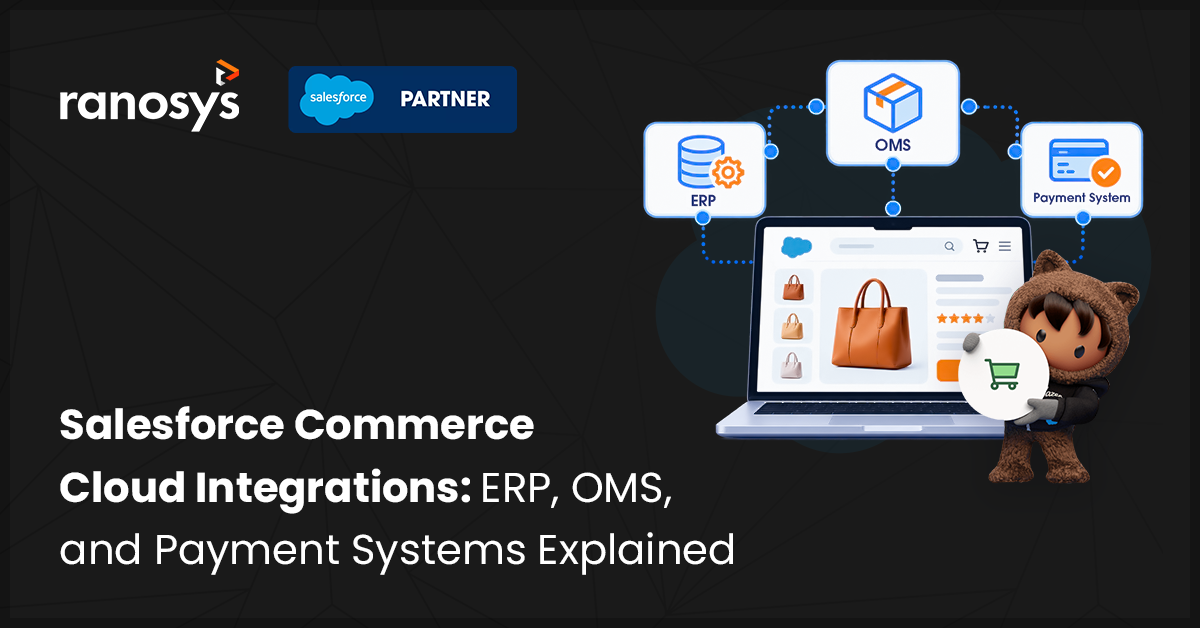
Let’s consider a retailer that sells products through its website and fulfills orders from several warehouses. Salesforce Commerce Cloud handles the shopping experience, while an ERP system maintains inventory and financial information. An Order Management System can coordinate with both, where orders are fulfilled, and a payment provider handles transaction processing. The integration architecture determines how these systems exchange the information needed at each stage.
A simple overview of this process is:
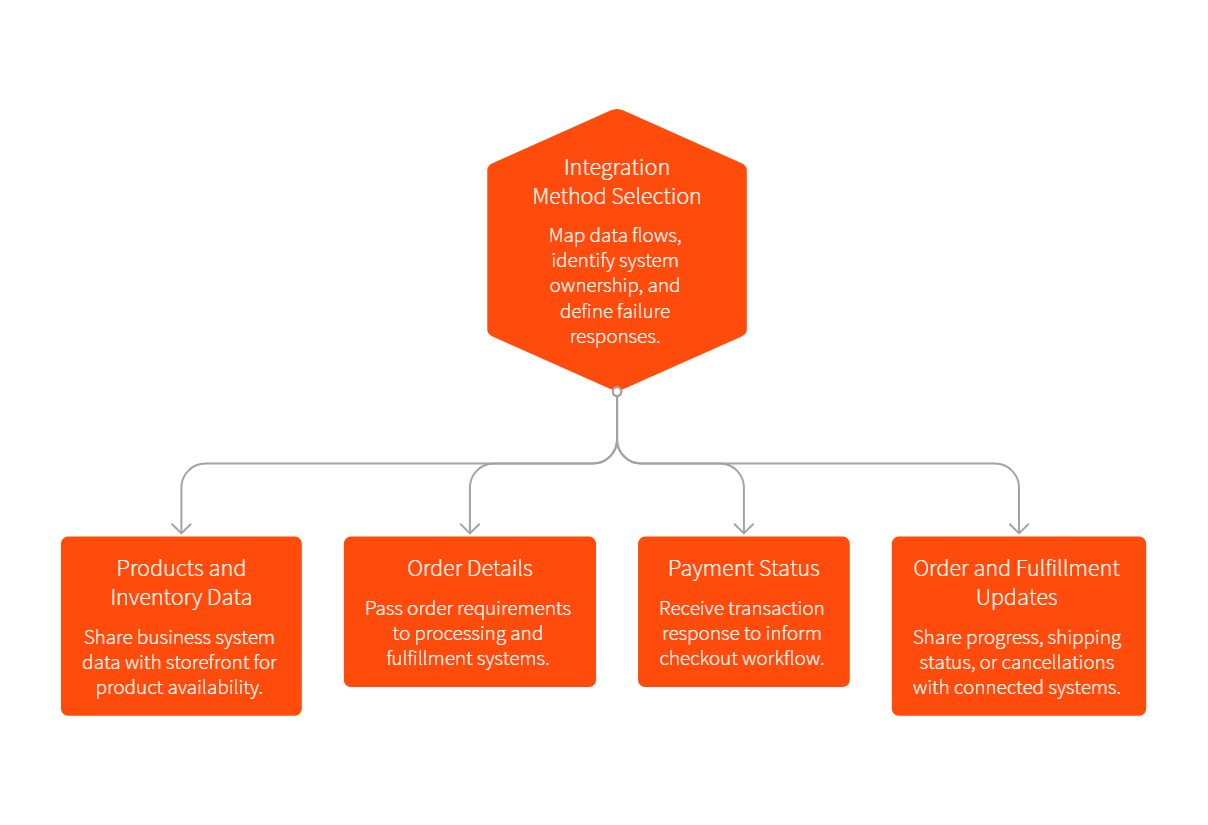
- Products and inventory data: Information from the required business system is shared with the storefront so customers can see product information and availability.
- Order details: When a customer places an order, the requirements of the order details are passed to the system responsible for order processing and the fulfilment team.
- Payment Status: The payment provider gives a transaction response, which then informs the checkout and order workflow used to identify the next step.
- Order and fulfillment updates: Changes such as order fulfilment progress, shipping status, or any order cancellation can be shared with the relevant connected system.
Not every business needs the same integration setup. A retailer with one warehouse and a simple checkout process also has different requirements from a business operating across multiple countries, sales channels, and locations of order fulfilment. Before choosing an integration method, teams should map the key data flows, identify which system owns each type of data, and how the processes should respond if a request fails or updates are delayed. These decisions help to establish an architecture that supports the retailer’s current operations and anticipates future changes.
Salesforce Commerce Cloud ERP Integration
Displaying the right stock information on all the e-commerce websites depends on how current the inventory data reaching the storefront is. Inventory levels change as warehouse teams process shipments, stores make sales, and new stock arrives. If these updates do not reach the online store in time, customers may place orders for the products that are no longer available.
Salesforce Commerce Cloud ERP integration connects the ecommerce platforms with an Enterprise Resource Planning (ERP) system to exchange relevant business information. Depending on the retailer’s setup, this may include inventory levels, product details, pricing, and order details. The ERP typically manages major business data, while Salesforce Commerce Cloud uses the information required to support the online shopping experience.
Pricing and product information also need careful handling. For example, a retailer may maintain product cost and other financial records in its ERP while managing how products appear on the storefront in Salesforce Commerce Cloud. The integration needs to account for which system owns each product data field and how changes are communicated. The exact arrangement depends on the retailer’s existing application and business rules.
The goal of ERP integration is to establish a dependable exchange of business data between the e-commerce platform and back-office operations. Defining data ownership and update requirements early helps teams choose an approach that fits the retailer’s actual workflow.
“A Canadian sports equipment brand replaced its AWS-based middleware with MuleSoft to automate catalog and order synchronisation across SFCC, Salesforce OMS, and Epicor ERP. ”
Salesforce Commerce Cloud OMS Integration
Managing an order becomes more complicated when a retailer fulfills a purchase from multiple warehouses, distribution centers, or physical stores. A product may be available at one location but out of stock at another store. The retailer needs to decide where the order should be fulfilled, taking stock availability requirements into account.
Salesforce order management integration is one option: it connects SFCC with Salesforce’s own OMS through a native connection. Other retailers connect SFCC to a third-party OMS. In both cases, order information moves between the ecommerce platform and the system that processes and fulfills purchases. Depending on the implementation, the OMS may help determine fulfilment locations, manage order status, and coordinate updates as an order moves towards delivery.
Consider a customer ordering two products from the same website. One item is available at a nearby website, while the other is stocked at a different location. The order management system evaluates available stock against the retailer’s fulfilment rules to decide whether to split the shipment or fulfil both items from one location. Without this logic, teams would often make these decisions manually and resolve differences between the stock shown online and what is actually available.
A well-planned integration helps ecommerce and fulfilment teams work from consistent order information. It also gives the business a clear view of where orders stand and where delays or processing issues need attention.
Salesforce Commerce Cloud Payment System Integrations
Customers can abandon a purchase when their preferred payment method is unavailable or when checkout is slow or does not respond as expected. Salesforce Commerce Cloud payment integration connects the checkout process with a payment provider that handles transaction processing. When a customer completes payment details, the integration passes the required information to the payment service, which returns a response indicating the transaction status. Salesforce Commerce Cloud can then use that response as part of its checkout and order processing workflow.
For example, a customer places an order, but their card payment has been declined. The website needs to communicate the outcome clearly and allow the customer to take the appropriate next step. A different situation occurs when the payment provider takes longer than the expected response time. The integration must account for these cases so the system does not incorrectly treat any unsuccessful or unconfirmed transaction as a completed payment.
During implementation, teams should consider how transaction statuses are recorded and how the system responds when a payment request times out. Teams should also review how sensitive payment information is handled, including PCI DSS compliance scope, and agree which responsibilities sit with Salesforce Commerce Cloud and which sit with the payment provider.
“A US plus-size apparel retailer unified its payment providers on SFCC through Aurus, adding partial settlement on delivery acceptance and automated refunds on returns. ”
ERP vs. OMS vs. Payment Systems: How They Work Together
A single ecommerce order involves more than recording a purchase. The retailer also needs to maintain accurate business records, process payments, and manage order fulfilment. Each system has a different responsibility, from maintaining inventory records to processing payments and coordinating delivery.
| System | Primary Function | Ecommerce Example |
| Salesforce Commerce Cloud | Manages the online shopping experience | Customers browse products and place orders |
| ERP | Manages business and back-office data | Maintains inventory and product information |
| OMS | Coordinates order processing and fulfilment | Routes orders to suitable fulfilment locations |
| Payment System | Processes online transactions | Approves or declines customer payments |
These systems work together by exchanging the information needed at different stages of a purchase. For example, when a customer places an order, Salesforce Commerce Cloud handles the storefront and checkout experience, the payment provider processes the transaction, and the OMS coordinates fulfillment. For businesses planning an SFCC integration, defining each system’s responsibilities helps determine what information to share, when to update it, and how to handle exceptions like stock discrepancies or declined payments.
Salesforce Commerce Cloud Integration Methods
Businesses can connect Salesforce Commerce Cloud with other platforms through several integration methods. The choice depends on the type of data, the amount of information being transferred, and the required update frequency.
- API integration: APIs allow systems to exchange information through defined interfaces. For example, an API can retrieve inventory data or send order details to another application.
- Middleware integration: Middleware connects applications and can transform or route data between them. It is useful when SFCC needs to communicate with several business systems.
- Event-driven integration: A specific event triggers an action or data exchange. For example, placing an order can trigger the next step in the order processing workflow.
- Batch processing: This method transfers or updates data in groups at scheduled intervals. It can suit bulk product updates that do not require immediate changes.
Businesses may combine these methods. For example, they might use APIs for order processing and batch transfers for large product catalogues.
Best Practices for Salesforce Commerce Cloud Integrations
A successful integration depends on clear requirements, accurate data, and regular testing. Businesses should consider the following practices during implementation.
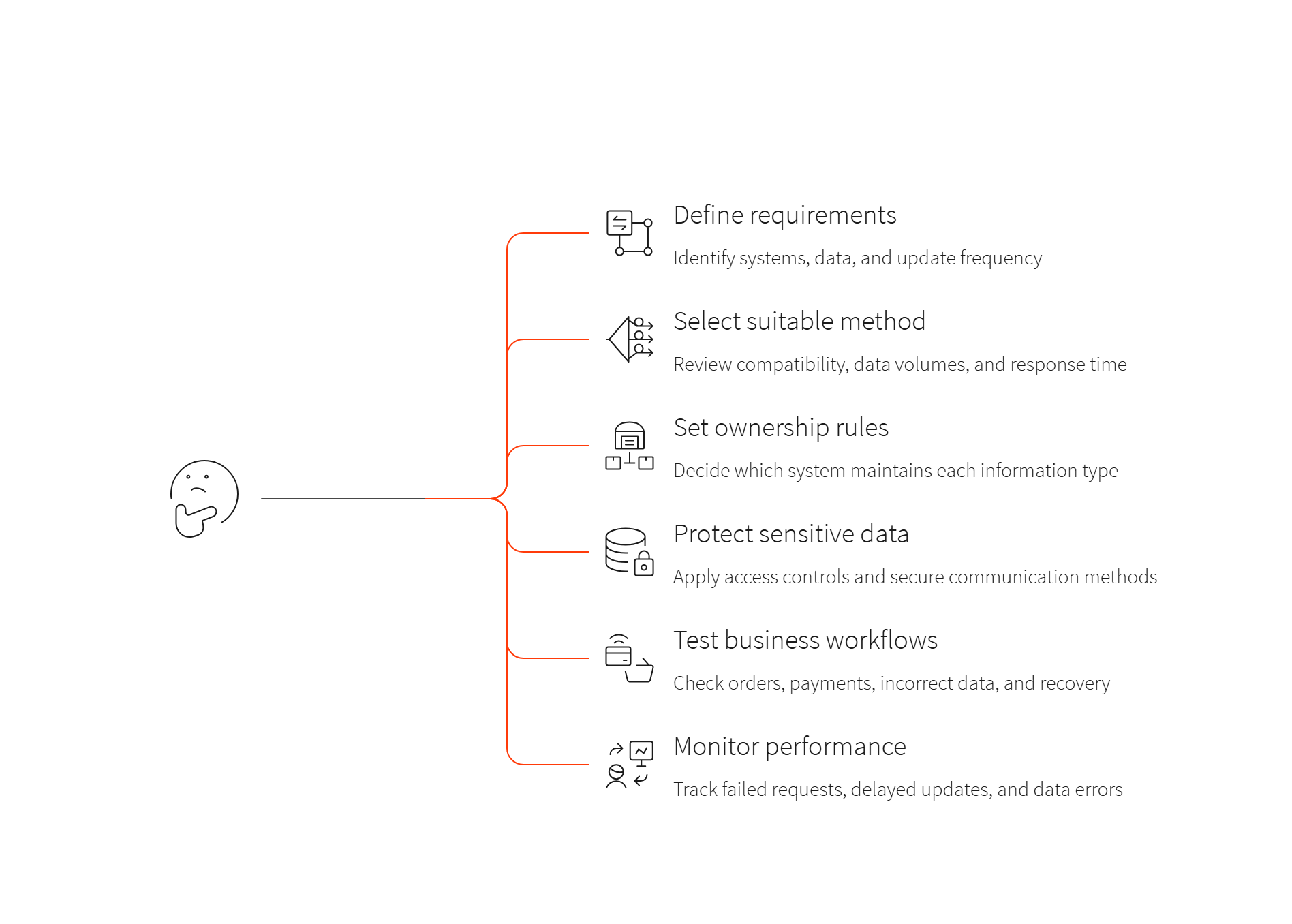
- Define requirements: Identify the systems that need to connect, the data they must exchange, and how often updates should occur.
- Select a suitable method: Review system compatibility, data volumes, and response time requirements before choosing an approach.
- Set data ownership rules: Decide which system maintains each type of information, such as inventory, product details, and order status.
- Protect sensitive data: Apply access controls and secure communication methods to protect customer and business information.
- Test business workflows: Check successful orders, declined payments, incorrect data, and recovery from system errors before deployment.
- Monitor integration performance: Track failed requests, delayed updates, and data errors so teams can investigate problems promptly.
These practices help teams identify problems early and maintain reliable data exchange between connected systems.
Common Challenges in Commerce Cloud Integrations
Connecting systems with different technologies and data structures can create technical and operational problems. Common challenges include:
- Data inconsistency: Systems may contain conflicting information. For example, the store may display an incorrect stock level if an inventory update has not arrived.
- System compatibility: Older applications may use different data formats or communication methods, which can require additional development.
- Synchronisation delays: Late updates can affect inventory availability and order status information shown to customers.
- Integration failures: API errors or network interruptions can prevent systems from exchanging data. Monitoring and recovery procedures help teams manage these failures.
- Security and capacity: Integrations must protect sensitive data and handle changes in website traffic, product volumes, and order numbers.
Businesses can reduce these problems by defining data rules, testing different scenarios, and monitoring system performance after deployment.
How to Plan a Salesforce Commerce Cloud Integration Project
Start by identifying the business problem and the systems that need to connect with Salesforce Commerce Cloud. A retailer facing inventory errors may prioritise ERP integration, while a business fulfilling orders from several warehouses may focus on OMS integration. The planning process should begin with a review of the existing system and its responsibilities. The team needs to identify when product, pricing, inventory, order, and payment information is maintained, which applications require access to that data, and where manual work or delays occur.
For example, a retailer experiencing frequent stock discrepancies may need to prioritize inventory, while a business expanding into additional markets may need to review payment methods, currencies, and fulfilment requirements. It also provides a practical basis for evaluating the Salesforce Commerce Cloud integration architecture and testing whether it supports the retailer’s day-to-day operations.
How Ranosys Delivers Salesforce Commerce Cloud Integrations
Businesses evaluating an integration partner should review its digital commerce expertise, technical approach, and experience with connected business systems. Ranosys is a Salesforce Summit Partner whose SFCC teams handle implementation, migration, integration, and managed support.
Ranosys’s integration work covers ERP platforms such as SAP, Epicor, and Microsoft Dynamics 365 Business Central, and order management through Salesforce Order Management or third-party systems such as Anchanto. It also covers payment providers including Adyen, Stripe, and CyberSource, plus custom payment cartridges for SFRA and SiteGenesis. Ranosys also connects SFCC with MuleSoft, Marketing Cloud, and Service Cloud, migrates SiteGenesis storefronts to SFRA, and provides monitoring, upgrades, and 24/7 support after launch.
Conclusion
Salesforce Commerce Cloud integrations connect the online store with systems that manage inventory, order fulfilment, and payment processing. ERP integration supports the exchange of inventory, pricing, and financial data, OMS integration coordinates order handling, and payment integration connects checkout with the provider that processes customer transactions.
Businesses should select integration methods based on their systems, data requirements, and operational workflows. Clear data ownership, security controls, and regular testing help reduce errors and keep information consistent across connected platforms.